Say it your way.
Talk, type, or bring a handwritten list. Vela helps turn the things on your mind into something you can act on.
 velaDownload Vela
A little more clarity. A little more you.
One sentence. Your day, planned.
Plan your day, protect a little focus and keep your ideas moving. Tasks, calendar, goals and habits meet a journal, mood check-ins and a weekly review, in one app for iPhone and iPad.
Vela 2.0 is here · Made for iPhone and iPad.
01 / From a busy mind to a clear next step
Less time organising your life.
More time actually living it.
“Dentist Friday at three.
Finish the report by noon.
And call Mum tonight.”
Review the changes. Keep the final say.
Talk, type, or bring a handwritten list. Vela helps turn the things on your mind into something you can act on.
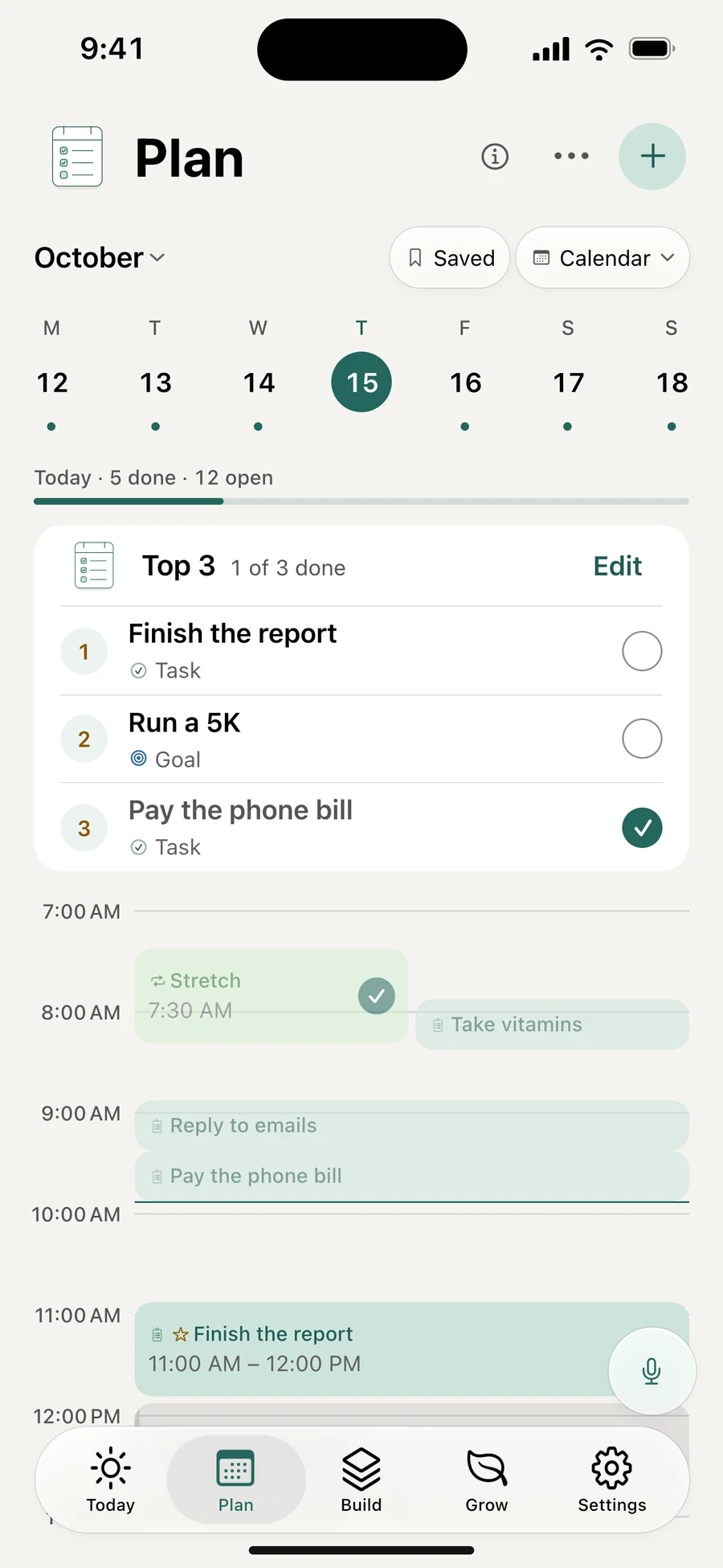
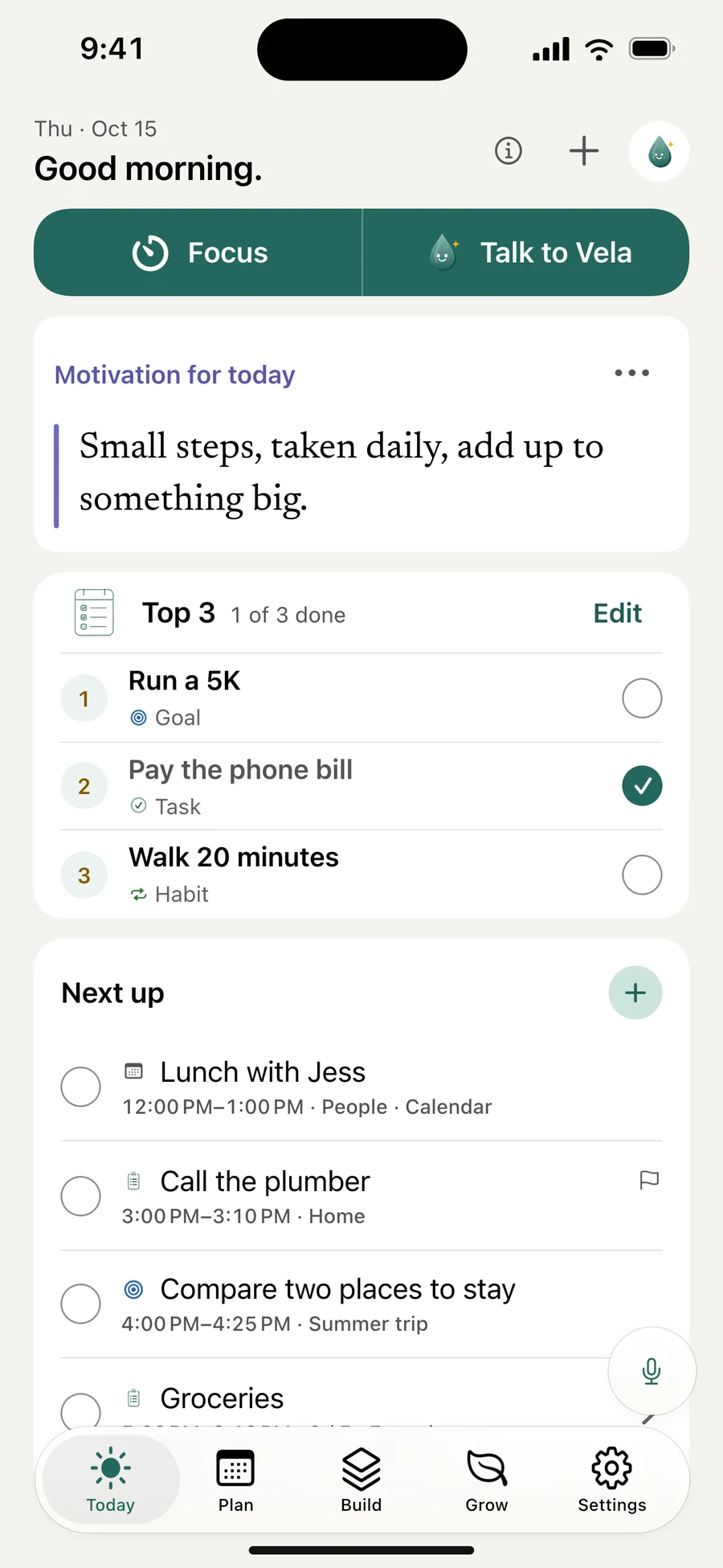
Choose your Top 3. See tasks and calendar events together as a list, schedule or hour grid.
See what Vela changed, undo a step, or move something to tomorrow. Your plan can change with you.
A voice request fills the listening panel. Vela turns it into four suggested changes, ready to review and add. The film uses Vela 2.0 interface illustrations.
02 / Make a little room
Start a focus session in one tap. Pause the apps that pull you away, and let the next small thing have your attention.
03 / How it fits together
Vela connects a passing thought to a next step, a focused start and a moment to look back. Each week shapes the next.
Type, speak, share or scan a task, an idea or a reflection.
Talk to Vela · Ideas · Paper to planPick the day, a goal or up to three priorities.
Plan · Top 3 · GoalsTake the next step. Start Focus and pause the apps you choose.
Focus · App pausingTick a habit, check in with your mood, write a line or give thanks.
Habits · Mood · JournalLook back on the week and choose next week’s steps.
Weekly review · Progress↺ Each week shapes the next.
04 / Big ideas. Small beginnings.
A good idea deserves a next step.
And progress deserves a little perspective.
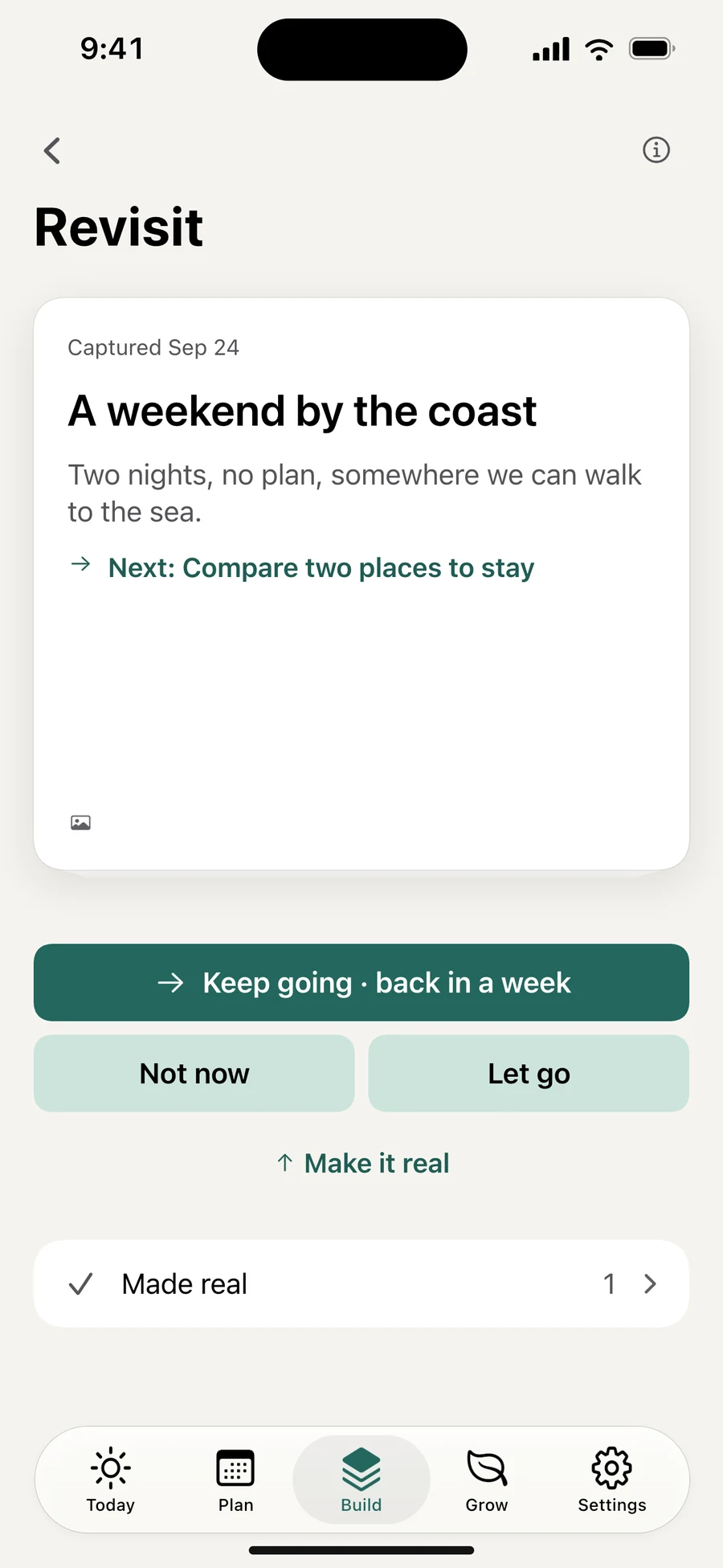
Save ideas by voice, photo or link, add notes and a board, and revisit them over time. Turn one into a goal when you’re ready to act.
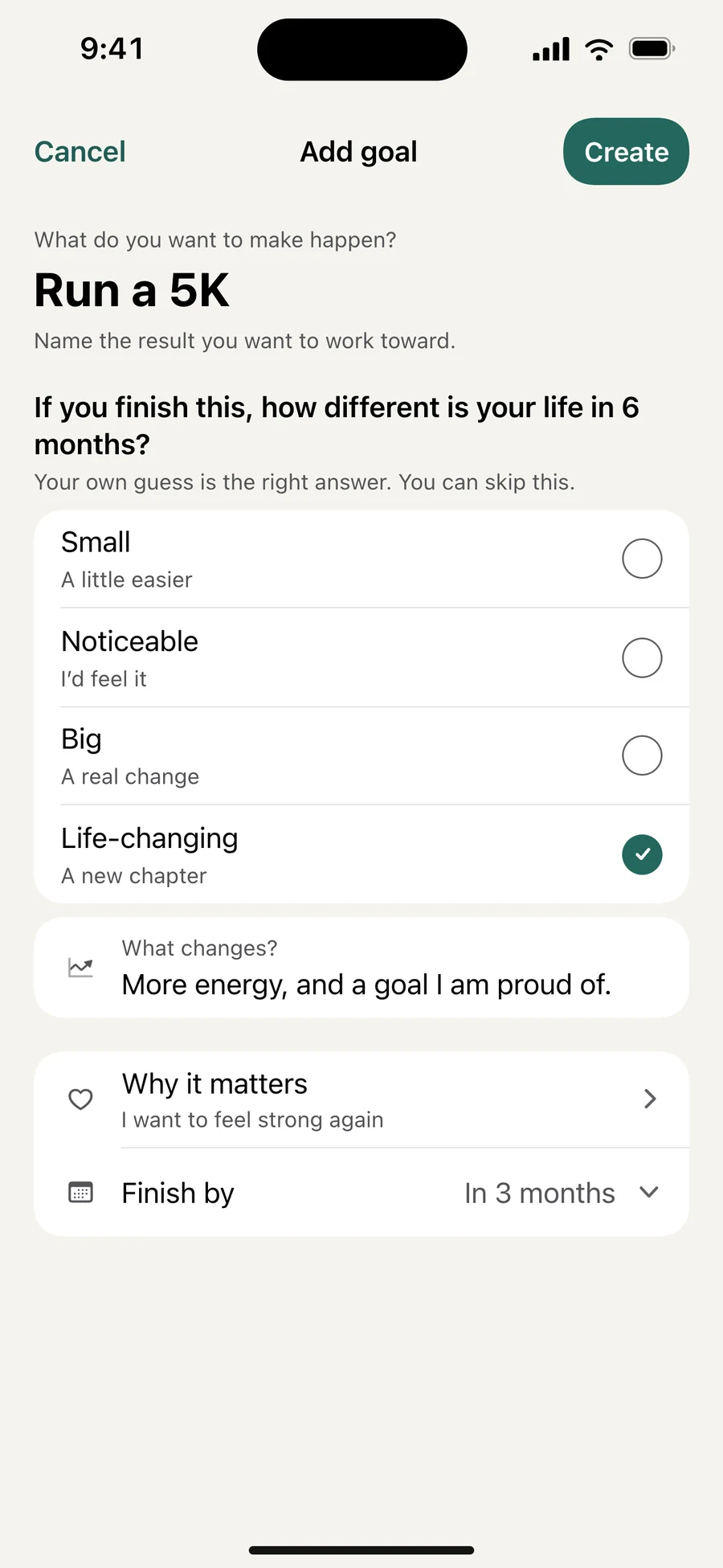
Break a goal into milestones and tasks. Consider its six-month impact, choose a useful next step and give it a place in today’s plan.
Habits that fit your rhythm. A year that fills with what you did, without a streak to protect.
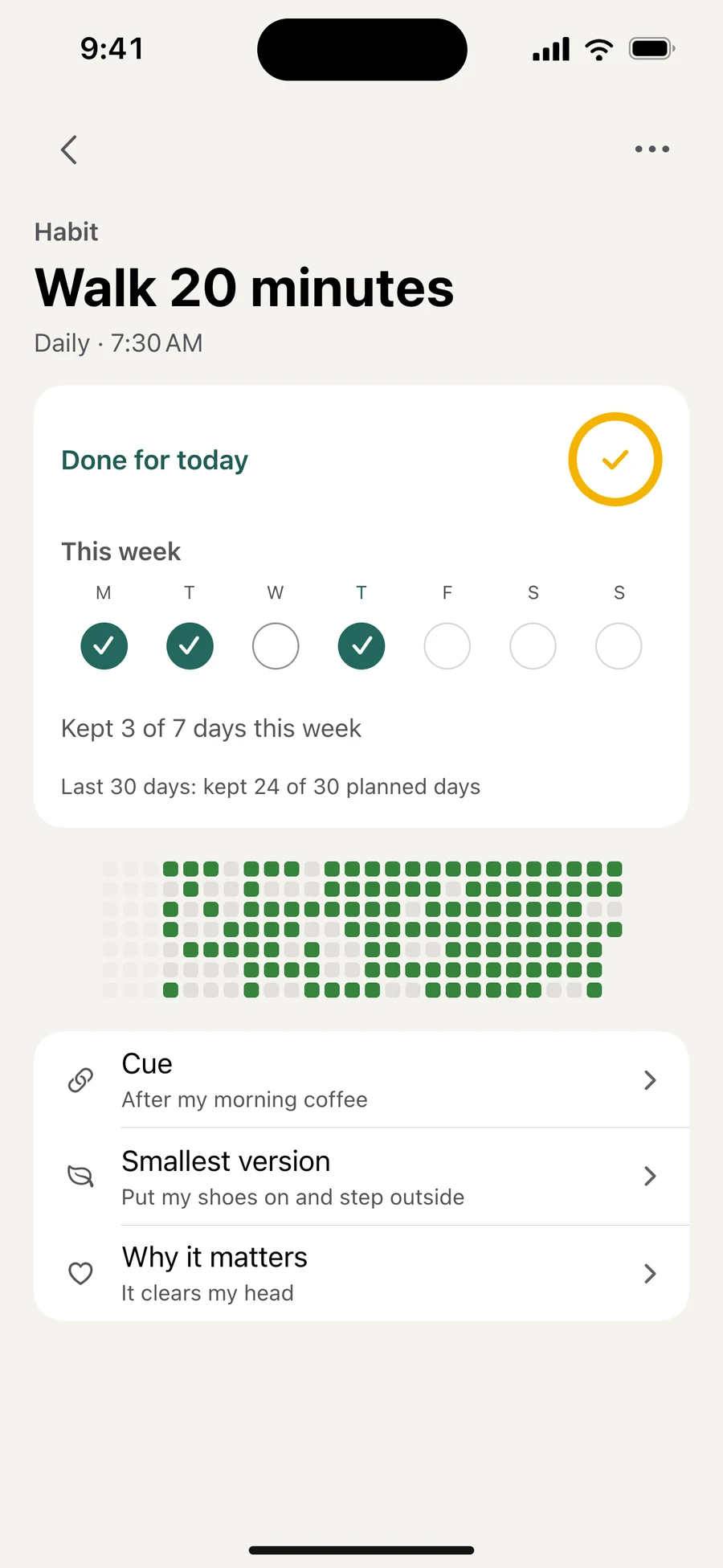
Vela 2.0 interface illustrations, based on the app’s current design.
05 / Everything inside
Six areas, one app.
Choose one to see what’s inside.
One screen for the next thing: Focus, Talk to Vela, your Top 3, the day’s list and Up next.
See tasks, meetings and habits as a list, a schedule with a now line or an hour grid.
Choose up to three priorities across tasks, habits, goals and meetings, in your own order.
Connect your device calendar and choose which calendars appear in your plan.
Write “call Mum tomorrow at 6” and the day and time fill themselves in.
Repeat daily, on chosen weekdays or monthly, or keep your usual tasks ready for any day.
Start your saved timer from Today, or run an open-ended session that counts up.
Select apps with Apple Screen Time and pause them while you focus.
Give chosen apps a daily allowance and blocked hours, with a gentle or locked limit.
Attach a task to the session and finish it without leaving the timer.
Pause, take a break or add a little more time when a stretch ends.
A Live Activity keeps the session in view on the Lock Screen and Dynamic Island.
Capture by voice, text, photo, link or share. Ideas return after two days, a week and a month.
Six prompts and up to twelve of your own photos help an idea find its first step.
Rate how much a goal could change the next six months, then break it into milestones and tasks.
Daily, on chosen days or any number of days a week, with a year that fills up as you go.
Keep one goal in view for three or six months and give it a next step.
Record a thought, then keep the recording, the words or both.
Write, speak or scan a handwritten page. Scanned pages are read on your phone.
Five faces, optional feelings and notes, and trends from the days you recorded.
Keep a list of your good things and appreciate a few in a short daily round.
Keep words of encouragement and voice recordings close, pinned to Today.
Review words and phrases after 1, 3, 7, 14 and 30 days, right inside your plan.
Week and month charts for tasks, Top 3, habits, focus and mood.
Six questions about your week, then choose next week’s steps.
Packing, groceries and gifts, plus books you want, are reading and have finished.
A one-, three- or five-minute breathing reset, or a short guided sit.
Add, move and finish tasks, manage goals, habits and ideas, or start Focus.
Supported questions and simple commands run right on your phone.
Action cards show what Vela did, with Undo where it’s supported. Bigger actions ask first.
Ask for three or more changes at once and Vela groups them for you to check.
Scan a handwritten list or a screenshot and review each line before anything is added.
Cloud features ask for your permission and show what’s shared. Say no, and the manual tools still work.
Today, Your words, Word of the day, Capture, Habits, Ideas, Mood and Gratitude.
Ask Siri to talk to Vela or record a note, or start from the app icon.
Send a link or up to ten images from another app straight into Ideas.
Your plan is saved on the device and syncs when you’re back online.
Face ID or Touch ID, with private details hidden in widgets and notifications.
English, Spanish, Chinese, Hindi, French, Arabic, Portuguese, Persian and Danish.
A CLOSER LOOK
Vela 2.0 campaign artwork · Interface illustrations based on the current app design.
New features, thoughtful improvements, and invitations to try what’s next.
Made for real days
A day you can actually finish, not a longer list.
Top 3 · Plan · TodayMake scrolling a choice, without deleting everything.
Focus · App pausing · Daily limitsIdeas that come back instead of getting lost in a notes app.
Ideas · Boards · GoalsSee that you’re moving, without the streak guilt.
Habits · Mood · ProgressWords that come back, a few minutes a day.
Language review · Word sets06 / Your day, your call
Cloud AI asks for your permission and shows what is shared before anything is sent. Decline, and the manual tools still work.
Supported commands and questions about your day run on the device. Bigger requests need a connection, your consent and remaining AI allowance.
Your plan is saved on the device first and syncs when you reconnect. AI, book search and sync need the internet.
Lock Vela with Face ID or Touch ID and keep private details out of widgets, notifications and the Lock Screen.
Progress counts what you did. A missed day never erases it, and nobody is compared with anyone else.
English, Spanish, Chinese, Hindi, French, Arabic, Portuguese, Persian and Danish, with right-to-left support.
Saved recordings and photos can sync to your account, and Apple’s speech recognition may process audio on Apple’s servers. AI requests can include relevant text and, if you connect a calendar, today’s event titles and start times. Read the app privacy policy
A closer look
One sentence becomes a plan. A small step becomes a little momentum. See Vela 2.0 in motion.
30 seconds · Meet Vela 2.0A busy mind becomes a spoken request, then four changes to review and add. Your Top 3 makes the next step clear. One tap starts Focus, and Vela pauses distracting apps. The closing line is: Plan, focus, and grow with Vela. Vela requires a Vela Pro subscription.
Vela Pro
Vela Pro opens the whole app, with weekly, monthly and annual plans. Eligible annual subscribers can start with a seven-day trial.
Download VelaYour local price, renewal terms and trial eligibility are shown in the App Store before you subscribe. Manage or cancel in your App Store account.
A few useful things
Yes. Vela 2.0 is available on the App Store for iPhone and iPad. Join the Vela updates below for new features and occasional news from the app.
New features, thoughtful improvements, and invitations to try what’s next.
One app. Its own mailing list. Always your choice.

